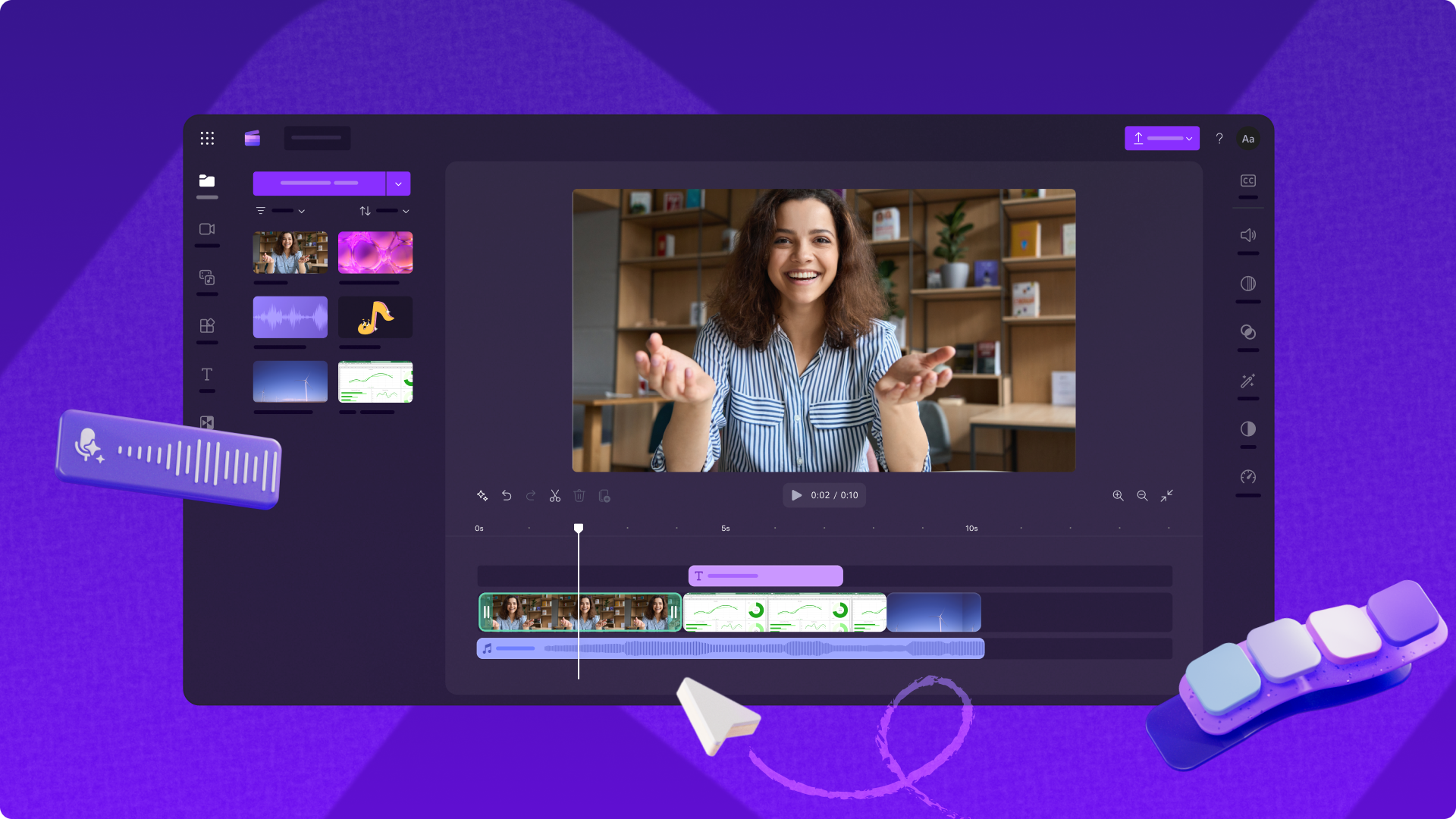
Master Video Editing with Clipchamp: Your Gateway to Storytelling
In today's visually-driven world, video content reigns supreme. From captivating social media reels to engaging business presentations and heartfelt personal stories, the demand for high-quality video is ever-increasing. Yet, for many, the thought of diving into video editing conjures images of complex software, steep learning curves, and hours of frustration. Enter Clipchamp – a revolutionary web-based video editor by Microsoft that’s changing the game for beginners and seasoned creators alike. Designed with accessibility at its core, Clipchamp empowers anyone to craft stunning high-definition videos with intuitive tools and powerful AI-driven features, no prior editing experience required.
Originally conceived as an Australian startup in 2013, Clipchamp's vision was clear: to democratize storytelling through accessible, browser-based video creation. Its acquisition by Microsoft in September 2021 marked a pivotal moment, seamlessly integrating this user-friendly platform into the expansive Microsoft ecosystem. Now, whether you're a student, an educator, a small business owner, or an aspiring content creator, Clipchamp offers a streamlined path to producing professional-quality videos, emphasizing ease of use and an intuitive interface.
Unleashing Creativity: Core Features and AI Power at Your Fingertips
What sets Clipchamp apart is its powerful blend of simplicity and advanced functionality. The software boasts a familiar drag-and-drop interface, making the editing process feel natural and less intimidating for newcomers. But beyond the basic cuts and transitions, Clipchamp shines with its intelligent features designed to elevate your content effortlessly.
- AI-Powered Subtitle Generation: Imagine creating subtitles for your video in over 100 languages with just a few clicks. Clipchamp's automatic subtitle generator is a game-changer for accessibility, ensuring your message reaches a global audience and complies with modern content standards. This feature is invaluable for tutorials, interviews, and any content where clarity and reach are paramount.
- Dynamic Voiceover Synthesis: Need a professional narration but don't have the equipment or confidence to record your own voice? Clipchamp offers voiceover synthesis with customizable pitch and pace, allowing you to generate natural-sounding voiceovers directly within the editor. This opens up possibilities for explainer videos, marketing content, and even creative storytelling without needing a microphone.
- Advanced Audio Enhancement: Crisp, clear audio is the hallmark of a polished video. Clipchamp's audio enhancement tools automatically detect and remove distracting background noise, awkward pauses, and even filler words like "um" or "ah." This significantly boosts the perceived quality of your recordings, giving your videos a professional edge without requiring complex audio editing skills.
- Integrated Recording Options: Capture content directly within Clipchamp. Whether you need to record your camera for a personal message, your screen for a software tutorial, or a voiceover for narration, the built-in recording options streamline your workflow, eliminating the need for external recording software.
- Vast Stock Library: To further simplify content creation, Clipchamp provides access to a vast library of royalty-free stock videos, images, music, and professionally designed templates. This extensive collection means you can enrich your projects with high-quality assets, injecting visual appeal and production value without breaking the bank or worrying about licensing issues. This is particularly beneficial for social media content, quick marketing ads, and educational materials.
- Unlimited HD Exports, No Watermark: One of Clipchamp's most attractive features for free users is the ability to export unlimited high-definition (HD) videos without any watermarks. This liberates creators to publish polished content without the branding restrictions often imposed by other free video editors. If you're looking to Create HD Videos Easily: Clipchamp's No Watermark Free Exports, Clipchamp is an outstanding choice.
Beyond the Basics: Streamlining Workflow and Ecosystem Integration
Clipchamp's strategic integration into the Microsoft ecosystem further enhances its appeal and utility. Since its acquisition, it has become a staple for Microsoft 365 users, offering seamless synergy with tools like Teams and OneDrive.
- Microsoft 365 Synergy: For businesses and educators already using Microsoft 365, Clipchamp becomes an indispensable tool. Projects can be saved directly to OneDrive, facilitating cloud storage, easy access across devices, and simplified collaboration. Its presence within the Microsoft suite makes it a natural extension for enhancing presentations, internal communications, and e-learning modules.
- Cross-Platform Accessibility: Flexibility is key in modern content creation. Clipchamp delivers with comprehensive cross-platform support. It's accessible directly through modern web browsers like Google Chrome, meaning you can edit from virtually any device without needing to download software. Furthermore, it comes pre-installed on Windows 11 devices and is available via the Microsoft Store, offering a dedicated app experience. For creators on the go, an iOS mobile application extends Clipchamp's capabilities to your iPhone, allowing for convenient mobile editing. For a deeper dive into its accessibility, check out Microsoft Clipchamp: Free Video Editor for Windows 11 & Web.
- Freemium Model for Every User: Clipchamp operates on a freemium model, offering robust features even in its free tier. As mentioned, unlimited HD exports without watermarks are standard. For users requiring more advanced capabilities, such as 4K exports, premium stock content, and advanced effects, these features are unlocked through a Microsoft 365 subscription, providing scalable options for every budget and need.
With over 17 million registered users worldwide prior to its acquisition, Clipchamp has proven its ability to cater to a diverse user base, from individual storytellers crafting personal vlogs to professional teams producing marketing campaigns. Its focus on ease of use and intuitive interfaces truly democratizes video production, enabling a wide range of users to express ideas visually without complex setups.
Getting Started with Clipchamp: Practical Tips for New Users
Jumping into video editing with Clipchamp is designed to be straightforward, but a few tips can help accelerate your creative journey:
- Start with a Template: Don't feel pressured to build from scratch. Clipchamp offers a wide array of professionally designed templates for various purposes (social media, business, events). These are excellent starting points to understand layout, pacing, and effects.
- Experiment with Stock Assets: Leverage the extensive library of royalty-free stock videos, images, and music. These assets can fill gaps in your footage, add visual interest, and provide background ambiance without needing to shoot or license your own.
- Utilize the AI Tools Early: Make a habit of using the automatic subtitle generator and audio enhancement features. They save immense time and significantly improve the quality and accessibility of your videos right from the start.
- Practice with Screen & Camera Recording: If you're creating tutorials or walkthroughs, experiment with Clipchamp's built-in screen and camera recording functions. This integrated approach simplifies the capture and editing process.
- Keep it Concise, Especially for Social Media: In the digital age, attention spans are short. Focus on conveying your message efficiently. Clipchamp's trimming and cutting tools make it easy to remove unnecessary footage and tighten your narrative.
- Save Regularly and Leverage OneDrive: Since Clipchamp is web-based, ensure your projects are saved frequently. If you're a Microsoft 365 user, saving to OneDrive provides cloud backup and easy access from any device.
The beauty of Clipchamp lies in its minimal learning curve. You can achieve impressive results quickly, building your skills and confidence with each project.
Conclusion
Clipchamp stands out as a powerful yet incredibly accessible video editing solution. By combining intuitive drag-and-drop functionality with advanced AI-powered features like automatic subtitles, voiceover synthesis, and audio enhancement, it truly empowers anyone to create professional-quality videos. Its integration into the Microsoft ecosystem, cross-platform availability, and generous free tier (including unlimited HD exports without watermarks) make it an indispensable tool for personal projects, educational content, and business communications. Whether you’re a complete novice looking to tell your first story or a seasoned creator seeking a streamlined workflow, Clipchamp offers a compelling and user-friendly platform to bring your video visions to life. Embrace the future of video creation – it’s simpler and more powerful than ever before with Clipchamp.